![realbuzz_primary_rgb (10).png]](https://knowledge.realbuzz.com/hs-fs/hubfs/Logos/realbuzz_primary_rgb%20(10).png?height=40&name=realbuzz_primary_rgb%20(10).png)
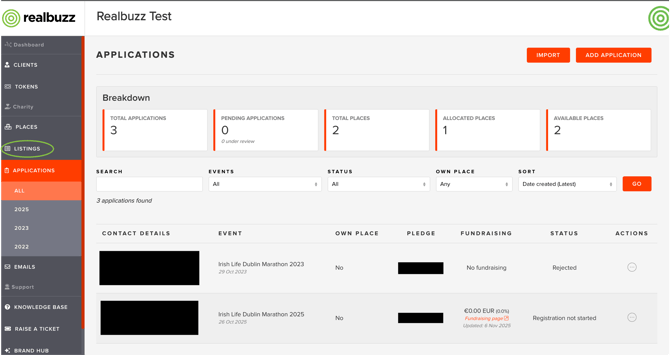
1. Go to the realbuzz Charity Console and select 'Listings' from the sidebar
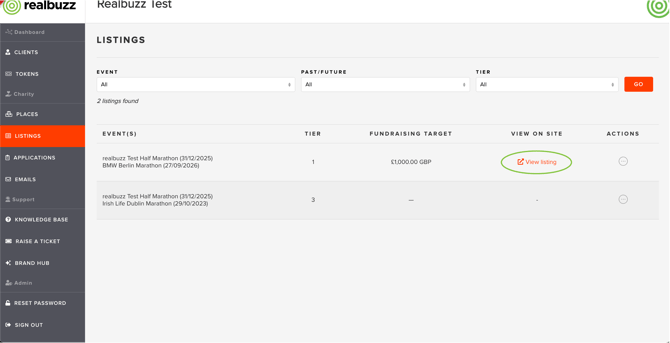
2. For events you are participating in, you'll see a 'View Listing' option
3. Open the '...' action menu to select the 'edit' option. If an event has passed, you won't be able to edit the listing but you can view it.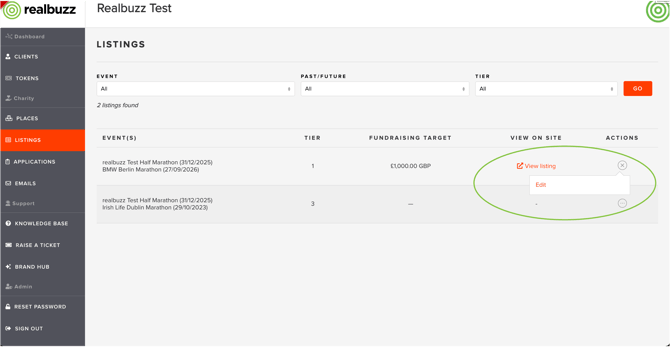
4. Navigate to the 'Is the team full?' checkbox, select the checkbox and press 'Submit'.

This action will 'close' your listing which means it's still present on the main event listing but runners can no longer apply and will see a red banner alerting them to the fact your team is full.
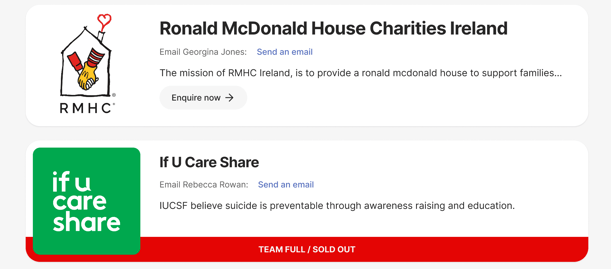
You can disable the checkbox to re-open your charity listing if you need to.